



Modern professionals face challenges with prolonged screen exposure. Many experience discomfort that affects their well-being and productivity.
Digital eye strain is a common problem in our tech world. Symptoms include headaches, blurred vision, and fatigue after using computers for a long time.
This condition, often called computer eye fatigue, happens when we focus too much on digital screens. Blue light and poor ergonomics play big roles in these issues.
Effective technology headache relief strategies can change your work life. Making a few simple changes can greatly improve your daily comfort.
Our guide tackles these modern health issues with practical solutions. Find ways to improve your visual health in digital spaces.
Understanding Digital Eye Strain and Technology Headaches
Many people feel uncomfortable after using digital devices for a long time. This issue affects millions around the world. Knowing what causes it helps us find ways to prevent it.
What Causes Digital Eye Strain?
Several things can make your eyes uncomfortable from screen use. The main reasons include staring at digital screens for too long. Unlike paper, screens pose extra challenges for your eyes.
Bad lighting also plays a big role. Too bright or too dim can both cause problems. Glare from lights can make it harder for your eyes to focus.
Related Posts:
- How Technology Is Used in Everyday Life From Smart…

- What Is a Technology Professional Roles Skills and…

- How Technology Affects the Human Brain Cognitive and…

- How Technology Is Negatively Affecting Society The…

- How Advanced Is China in Technology A Look at Its…

- How Technology Impacts Us The Broad Effects on Daily Life

Not blinking enough is another key factor. Normally, we blink 15-20 times a minute. But when we’re on screens, this drops to 5-7 times. This can dry out your eyes.
Bad posture and viewing angles also strain your eyes. Many people put screens too close or at the wrong height. This can lead to eye and head pain.
Eye problems can make digital eye strain worse. Issues like astigmatism or presbyopia add extra stress. Even small changes in glasses can make it hard to work on screens.
| Primary Cause | Impact on Eyes | Prevention Tip |
|---|---|---|
| Prolonged screen time | Eye muscle fatigue | Take regular breaks |
| Poor lighting conditions | Increased glare sensitivity | Use ambient lighting |
| Reduced blinking | Dryness and irritation | Conscious blinking exercises |
| Improper ergonomics | Neck and shoulder tension | Adjust screen height |
| Uncorrected vision | Blurred vision | Regular eye examinations |
Common Symptoms to Recognise
Digital eye strain symptoms vary from person to person. Some feel mild discomfort, while others get severe headaches. Spotting these signs early can help prevent them from getting worse.
Visual problems are common complaints. People might see blurry vision or have trouble focusing. Some even experience double vision.
Physical discomfort often goes hand in hand with visual symptoms. Many feel dry, itchy, or burning eyes. Redness and watery eyes can also be signs of strain.
Headaches are another common symptom. These headaches usually start around the eyes or forehead. They can spread to the temples or back of the head.
Neck and shoulder pain often accompany eye strain. Poor posture while using screens can lead to muscle tension. This discomfort can last even after stopping work.
Being light-sensitive is another symptom. People might find normal room lighting too bright. Glare on screens becomes more bothersome when eyes are tired.
Difficulty concentrating and reduced productivity are common effects. The discomfort makes it hard to focus. Many struggle to work well during these times.
Spotting these symptoms early allows for quick action. Early treatment can prevent long-term problems. Knowing these signs helps tell apart temporary strain from more serious issues.
How to Get Rid of a Technology Headache
When digital eye strain hits, knowing how to relieve it can make a big difference. This section looks at quick fixes and long-term solutions to fight technology headaches.
Immediate Relief Techniques
Quick action can greatly lessen discomfort when it first starts. These methods offer fast relief for those urgent times.
Resting Your Eyes with the 20-20-20 Rule
The 20-20-20 rule is a simple yet effective way to ease headaches. Every 20 minutes, look at something 20 feet away for 20 seconds. This gives your eyes a much-needed break from constant focus.
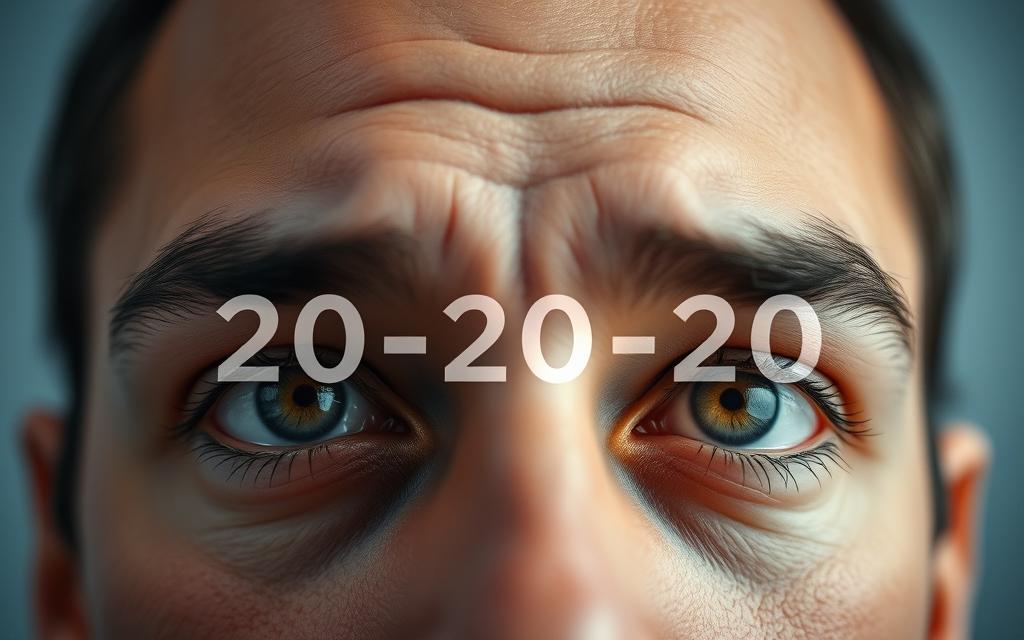
This method works because it changes your focus distance, reducing eye muscle fatigue. Many people see a big improvement in their symptoms after using it regularly.
“Regular visual breaks are not just beneficial—they’re essential for maintaining comfortable vision in our digital world.”
Using Over-the-Counter Pain Relief Safely
For more severe discomfort, over-the-counter options can offer temporary relief. But, it’s important to use them correctly for safety and effectiveness.
Here are some tips for choosing medication:
- Choose ibuprofen or aspirin for inflammation-related pain
- Use paracetamol for general headache relief
- Always follow recommended dosage instructions
- Consult a pharmacist if you have existing health conditions
Remember, medication only treats symptoms, not the cause. Use it with other techniques for better relief.
| Medication Type | Best For | Dosage Frequency | Considerations |
|---|---|---|---|
| Ibuprofen | Inflammation pain | Every 4-6 hours | Take with food |
| Paracetamol | General headache | Every 4-6 hours | Liver concerns |
| Aspirin | Anti-inflammatory | Every 4-6 hours | Not for children |
Long-Term Management Strategies
Long-term practices offer lasting protection against technology headaches. These methods need regular use but provide lasting benefits.
Vision correction is key in long-term management. Regular eye exams ensure your prescription is right for screen distances.
Specialised computer glasses with anti-reflective coatings can greatly reduce eye strain. These lenses are designed for the distances where screens sit.
Plan structured breaks beyond the 20-20-20 rule. Take longer breaks every two hours to step away from digital devices.
Artificial tears help keep eyes moist from screen use. Choose preservative-free varieties for safe, regular use during your workday.
By using these strategies, you create a strong defence against technology headaches. Regular use turns these practices into habits that protect your eyes.
Preventative Measures for Digital Eye Strain
Preventing digital eye strain is better than treating it after it happens. Making smart changes to your workspace and adopting healthy habits can help. This way, you can avoid headaches and eye discomfort caused by technology.
Optimising Your Workspace Ergonomics
Good workspace ergonomics are key to avoiding digital eye strain. A well-set workspace reduces physical strain and makes your workday more comfortable.
Adjusting Screen Brightness and Contrast
Getting the right screen brightness is vital for comfort. Your screen should match the room’s light – not too dark or too bright. Experts suggest setting brightness at 60-70% of the maximum.
Contrast is also important. Higher text contrast makes reading easier and reduces eye tiredness. Many systems have features to adjust these settings for you.
Lighting around you affects your comfort. Place your workspace away from direct light. Use curtains or blinds for natural light control. A desk lamp with adjustable brightness can also help.
The Mayo Clinic suggests that room lighting should be half as bright as office lights. This reduces eye strain by balancing screen and environment brightness.
Developing Healthy Screen Usage Habits
Your daily habits are also important in preventing eye strain. Good habits can protect your eyes from long-term damage.
Here are some healthy screen habits:
- Follow the 20-20-20 rule: Every 20 minutes, look at something 20 feet away for 20 seconds
- Maintain proper posture with your screen at eye level and approximately an arm’s length away
- Use document holders to keep reference materials at the same height and distance as your screen
- Schedule regular screen breaks throughout your workday
- Blink consciously to keep your eyes moist and reduce dryness
By following these steps, you can prevent digital eye strain. Optimising your environment and habits lets you enjoy digital devices without discomfort.
Effective Exercises and Relaxation Techniques
Preventive steps and adjusting your workspace are key to digital wellness. But, adding specific physical exercises can quickly ease discomfort from screens. These exercises help with eye strain and muscle tension from too much screen time.

Eye Exercises to Alleviate Strain
Eye exercises can greatly cut down on eye strain from digital devices. They are quick and easy to do, but they make a big difference if you do them often during your workday.
The 20-20-20 rule is a good place to start. Every 20 minutes, look at something 20 feet away for 20 seconds. This helps your eyes and prevents muscle fatigue.
Here are some more eye exercises:
- Focus shifting: Hold your thumb about 10 inches from your face. Focus on it for 15 seconds, then look at something far away. Keep switching back and forth 10 times.
- Figure eights: Picture a big figure eight on its side about 10 feet away. Slowly trace it with your eyes for 30 seconds in each direction.
- Palming: Warm your hands by rubbing them together, then place them over your closed eyes without pressing. Breathe deeply for one minute.
These exercises keep your eye muscles flexible and improve blood flow around your eyes.
Neck and Shoulder Stretches for Tension Relief
Using technology can lead to tension in your neck and shoulders. Doing neck stretches regularly can stop stiffness and headaches from too much computer time.
Try these simple neck stretches throughout your day:
| Exercise | Technique | Duration | Benefits |
|---|---|---|---|
| Neck Tilts | Gently tilt head toward shoulder until stretch felt | Hold 15 seconds each side | Relieves lateral neck tension |
| Chin Tucks | Pull chin straight back creating “double chin” | Hold 5 seconds, repeat 10 times | Improves posture alignment |
| Shoulder Rolls | Roll shoulders backward in circular motion | 10 repetitions each direction | Releases upper back tension |
| Scalene Stretch | Tilt head back and turn slowly to each side | Hold 10 seconds each side | Reduces forward head posture strain |
Adding breathing exercises to your stretching routine can help relax you more. Deep breathing brings oxygen to tense muscles and helps you relax.
Short breaks with specific exercises are better than long stretches for avoiding discomfort from technology.
These relaxation techniques help with both eye and body strain from technology. Doing them often can cut down on headaches and make computer use more comfortable.
Always listen to your body and adjust these exercises if needed. If you feel pain, it’s time to ease up or see a doctor.
Tools and Technology to Aid Relief
Modern technology offers new ways to fight digital eye strain and headaches from screens. These tools work with changes in how we use technology to help us feel better.
Blue Light Filtering Solutions
Blue light from screens can mess with our sleep and cause eye strain. Luckily, there are many ways to cut down on this light during the day.
Software Applications: f.lux and Night Shift
f.lux software changes your screen’s colour to match the time of day. It makes the screen warmer at night, which is easier on your eyes.
Apple users can use Night Shift for the same effect. Both apps help keep your body clock in sync and reduce glare when you’re on the computer for a long time.
Blue Light Blocking Glasses from Brands like Gunnar
Blue light blocking glasses are a great physical solution. Brands like Gunnar make glasses that block harmful blue light and reduce glare.
These glasses often have amber-tinted lenses that make things clearer and reduce eye strain. Many people find they get relief from headaches when wearing these glasses.
Ergonomic Accessories for Comfort
Setting up your workspace right is key to avoiding discomfort from technology. The right ergonomic accessories can make your workspace comfortable.
Here are some key items for comfort:
- Adjustable monitor arms for perfect screen positioning
- Ergonomic keyboards that promote natural wrist alignment
- Document holders that eliminate constant head movement
- Anti-glare screen filters for reduced eye fatigue
| Accessory Type | Primary Benefit | Recommended Features |
|---|---|---|
| Monitor Stands | Eye-level positioning | Height adjustment, tilt function |
| Ergonomic Chairs | Spinal support | Lumbar support, adjustable arms |
| Keyboard Trays | Wrist alignment | Negative tilt, padded rests |
| Task Lighting | Reduced glare | Adjustable intensity, directional control |
Buying good ergonomic accessories makes your workspace better for your body. This helps a lot during long computer times.
Using these tech solutions with the right habits and exercises gives the best protection against eye strain and headaches from screens.
Conclusion
Managing digital eye strain needs a mix of quick fixes and long-term plans. We’ve talked about making your workspace better, good screen habits, exercises, and tech help. This guide offers real ways to deal with eye strain in our digital world.
Self-care can help a lot, but if problems keep coming back, see an eye doctor. The American Optometric Association suggests eye checks, mainly for those with ongoing eye pain. If you’re not getting better, an eye specialist can give you tailored advice.
Sticking to these tips is key to avoiding eye and head pain from screens. For more tips on screen headaches, check out trusted health websites. Taking care of your eyes now means better screen time later.
